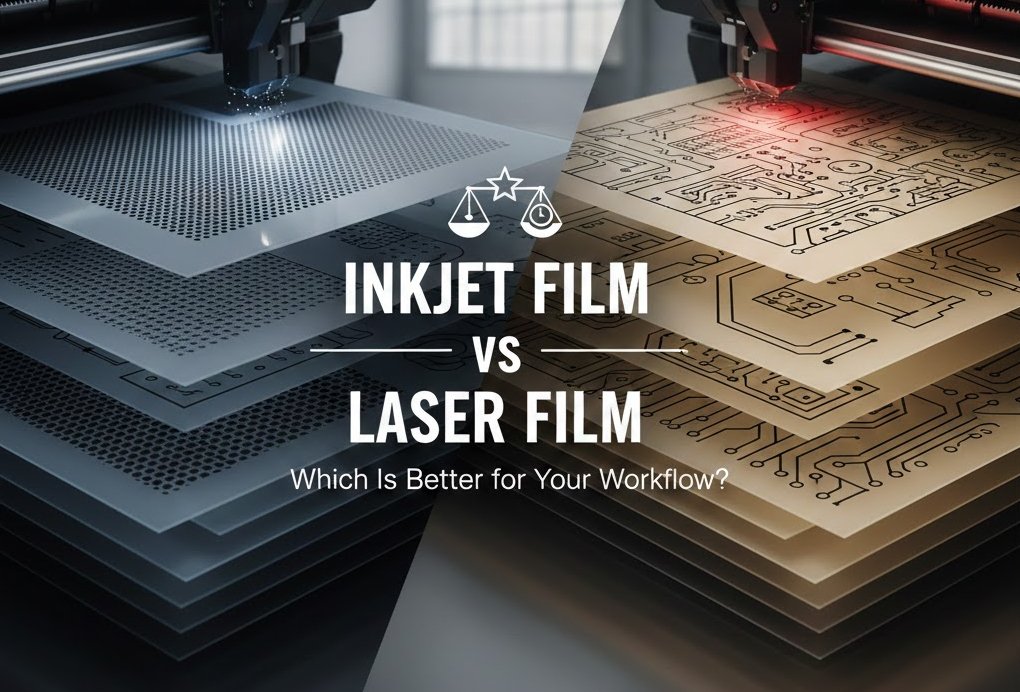
Inkjet Film vs Laser Film: Which Is Better for Your Workflow?
When it comes to producing high-quality film positives or film negatives for screen printing, flexo plates, pad printing, PCB exposure, hot stamping, or various imaging workflows, you’re usually looking at two main options:
Inkjet film
Laser film
Both films are widely used in the printing industry, but they’re not the same. Each has strengths, limitations, and ideal-use scenarios. Choosing the right one can improve:
your exposure accuracy
your ink density
your dot sharpness
your workflow speed
and your overall production cost
If you’re unsure which film is right for your business—or you’re considering changing your current setup—this guide will walk you through everything you need to know in a simple, practical, and printer-friendly way.
Let’s break down the differences clearly.
1. What Exactly Is Inkjet Film?
Inkjet film is a specialized polyester film coated with an ink-receptive layer designed to work with inkjet printers—typically Epson, Canon, or other pigment-dye based printers.
Key Features of Inkjet Film
Microporous coating absorbs ink quickly
Optimized for water-based pigment or dye inks
Supports high-density prints (for deep black positives)
Available in many sizes and thicknesses
Ideal for screen printing, flexo, and plate exposure
Inkjet film is extremely popular because it produces very high Dmax, which is essential for blocking UV light during exposure.
2. What Is Laser Film?
Laser film is a heat-resistant polyester film made to work with toner-based laser printers or copiers.
Key Features of Laser Film
Designed for toner adhesion
Compatible with HP, Brother, Xerox, and Ricoh printers
Fast output speed
Toner prints are sharp and crisp
Heat-stable (must withstand the fuser unit inside laser printers)
Laser film is typically used for line art, engineering drawings, PCB layouts, and rapid-production environments where speed is critical.
3. Inkjet Film vs Laser Film: Quick Comparison Table
| Feature | Inkjet Film | Laser Film |
|---|---|---|
| Printer Type | Inkjet | Laser |
| Ink/Toner | Pigment or dye ink | Toner |
| Print Density (Dmax) | ★★★★★ Excellent | ★★★☆☆ Moderate |
| Dot Accuracy | ★★★★★ High | ★★★★☆ Good |
| Cost per Print | Higher | Lower |
| Printer Cost | Low–medium | Low |
| Speed | Slower | Very fast |
| Ideal Use | Screen printing, flexo, UV exposure | PCB, line drawings, quick output |
4. Print Density (Dmax): Why It Matters
If you’re making film positives for UV exposure screens or plates, UV opacity is everything.
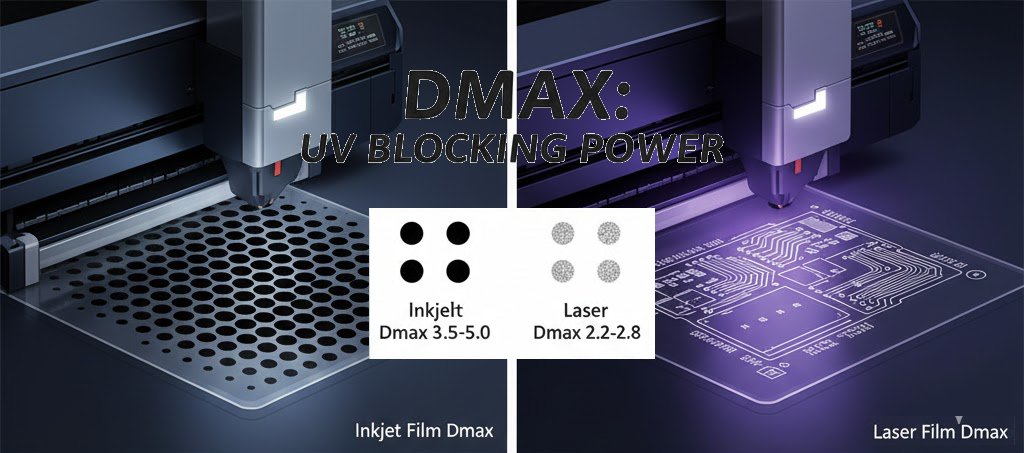
Inkjet Film Dmax
Inkjet systems with pigment-based Inks (like Epson DTG printers) can reach 3.5–5.0 Dmax.
This produces:
solid opaque blacks
clean exposure
sharp edges
Ideal for screen printing and flexographic plate making.
Laser Film Dmax
Laser toner typically reaches 2.2–2.8 Dmax, which is enough for:
engineering drawings
PCB artwork
basic exposure uses
But for high-detail screen printing (halftones, small text), laser films may leak UV light, causing undercutting during exposure.
 Inkjet film, especially for demanding exposure jobs.
5. Print Detail & Resolution
Inkjet Film Resolution
Inkjet printers are excellent for:
smooth gradients
halftone dots
shadows and highlights
fine details
Inkjet heads place microscopic droplets with excellent control.
Laser Film Resolution
Laser printers create images using toner particles fused to the film surface. While sharp for text and line art, toner particles are larger than inkjet droplets.
Laser struggles with:
smooth halftone transitions
ultra-fine dots under 10%
gradients
Inkjet film for detailed print jobs. Laser film for crisp vector line output.
6. Speed & Productivity
Inkjet Film
Slower overall
Requires drying time
Higher ink usage
Not ideal for high-volume, fast-turnaround environments.
Laser Film
Extremely fast
No drying time
Toner-based
Less maintenance
If fast mass production matters, laser workflow wins.
Laser film (speed champion)
7. Cost: Which Is More Affordable?
Inkjet Workflow Cost
Inkjet film costs more
Pigment ink is expensive
High Dmax requires heavy ink load
Maintenance adds long-term cost
Laser Workflow Cost
Toner lasts longer
Film is cheaper
Less maintenance
Less downtime
Overall, laser printing is more economical.
Laser film, but remember: lower cost ≠ better output for all applications.
8. Durability, Stability & Handling
Inkjet Film
Coated surface is more delicate
Must be stored carefully
Sensitive to humidity
Laser Film
Very stable
Heat resistant
Toner does not smudge
Laser film for durability.
9. Why Many Professionals Prefer High-Quality Inkjet and Laser Films from Us
As a professional manufacturer and supplier of inkjet film, laser film, CTP plates, and imaging materials, we understand how important it is to choose the right product.
Our films are known for:
 Consistent coating quality
- High density and sharp reproduction
- Excellent ink or toner adhesion
- Stable performance in real production
- Competitive, factory-direct pricing
We supply:
Waterproof inkjet films (single/dual side coated)
Laser films for toner-based systems
Silk screen photo-positive films
UV-blocking films for exposure systems
If you’re unsure which film matches your workflow, we can give you personalized advice.
10. Need Inkjet Film or Laser Film? Contact Us Anytime
If you are:
comparing inkjet vs laser films
struggling with low density or unclear reproduction
trying to improve exposure quality
looking for a reliable supplier
needing OEM or bulk pricing
We can help.
 Feel free to reach out for free samples, technical guidance, or pricing.
We respond quickly and professionally—and we’re always here to support your printing workflow.
Why Does a CTP Plate Scum on Press ? 9 Common Causes and Proven Solutions
Learn why CTP plates scum on press, the most common causes, troubleshooting methods, and practical solutions to improve offset printing quality and reduce downtime.
Which Offset Machine Is Best ? A Practical Guide for Commercial Printing
Which offset machine is best? Learn how to choose the right offset printing machine based on format, volume, cost, and CTP technology.
Where to Buy Thermal CTP Plates for Offset Printing | Best Supplier Guide & Expert Tips
Looking for reliable thermal CTP plates for offset printing? This expert guide explains how to choose a trustworthy supplier, compares global and Chinese manufacturers, and shares key quality criteria.